
FAQ

The recommended way to install the 12VHPWR (PCIe 5.0) cable
on it. FSP would like to share a recommended way how to connect a 12VHPWR cable and make sure
the cable is connected correctly and safely.
The correct way to connect: straight plug into the connector
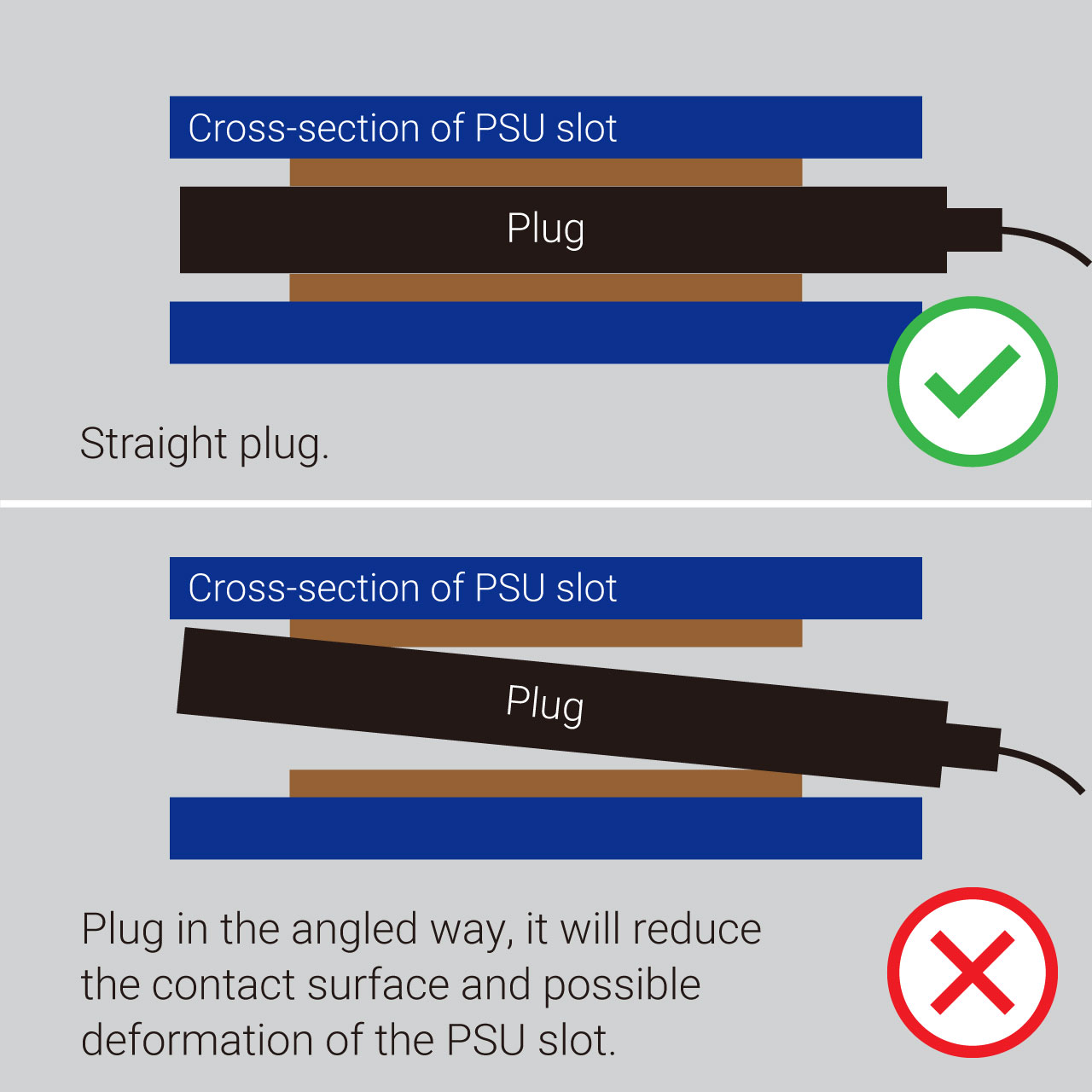
* Unbalanced plug-in contacts with PSU slot surface, there is possible deformation of the PSU slot.
Attention: When plugging or unplugging, do not pull the wire, please plug or unplug with the connector directly.
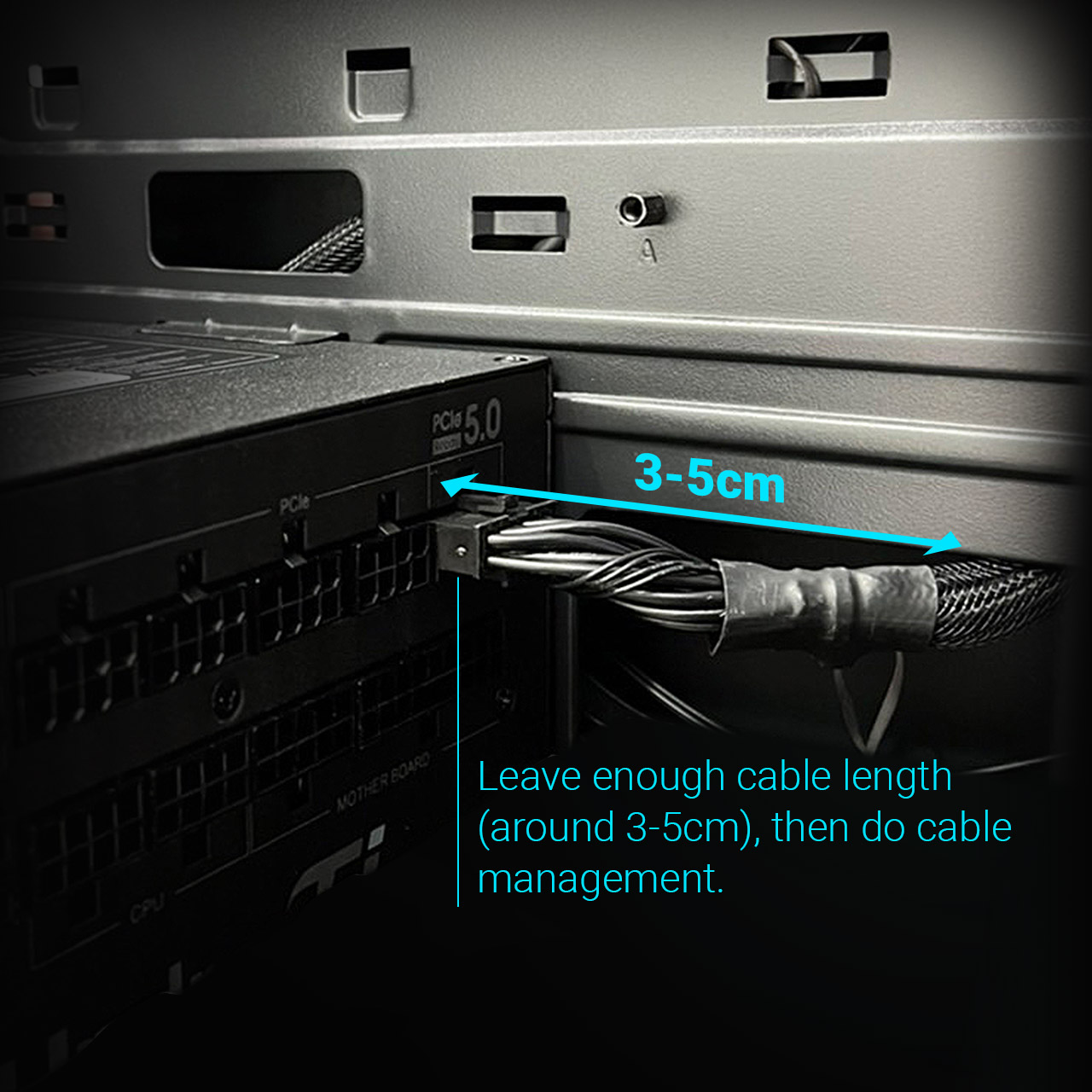
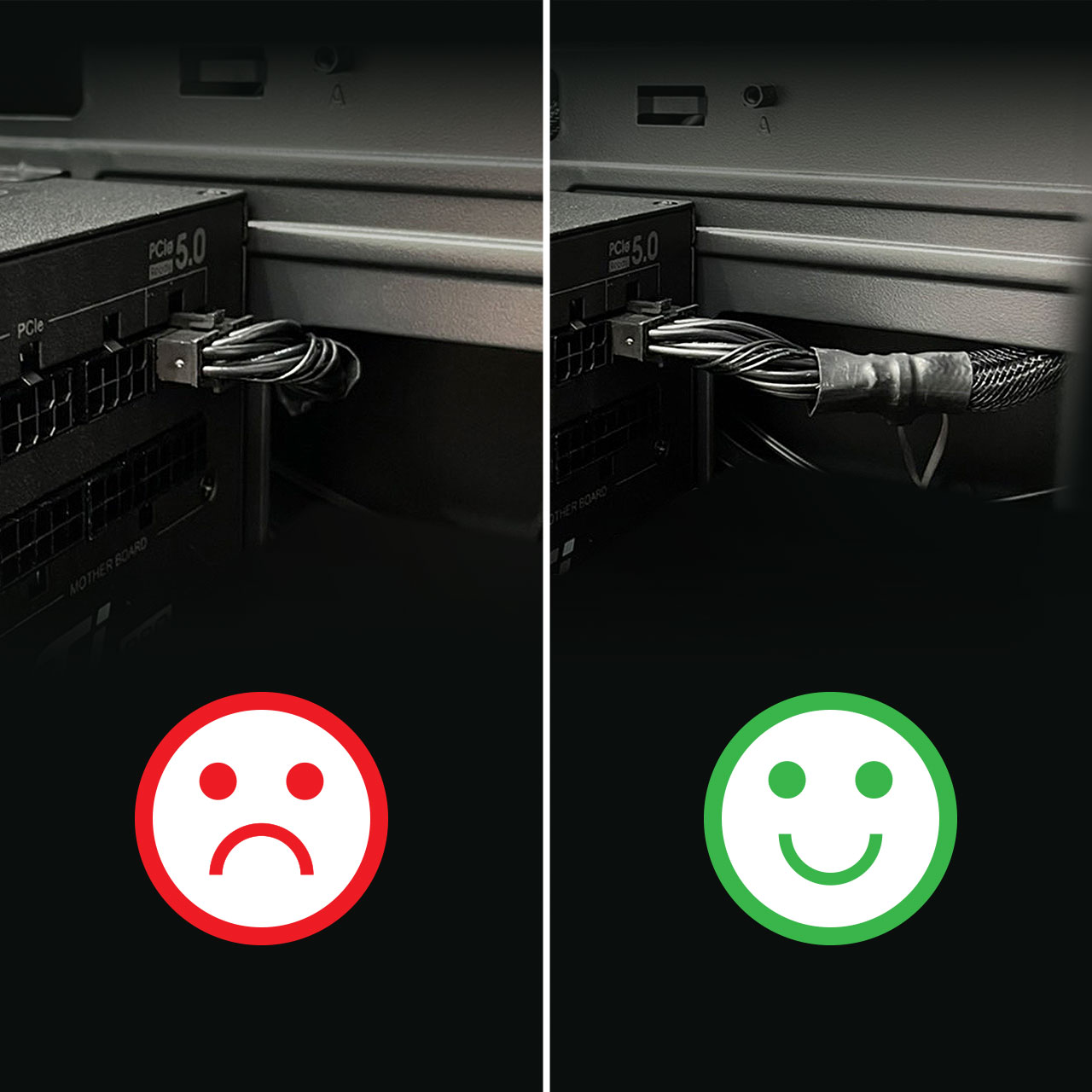
The correct way to do cable management: Leave enough space for 12VHPWR cable
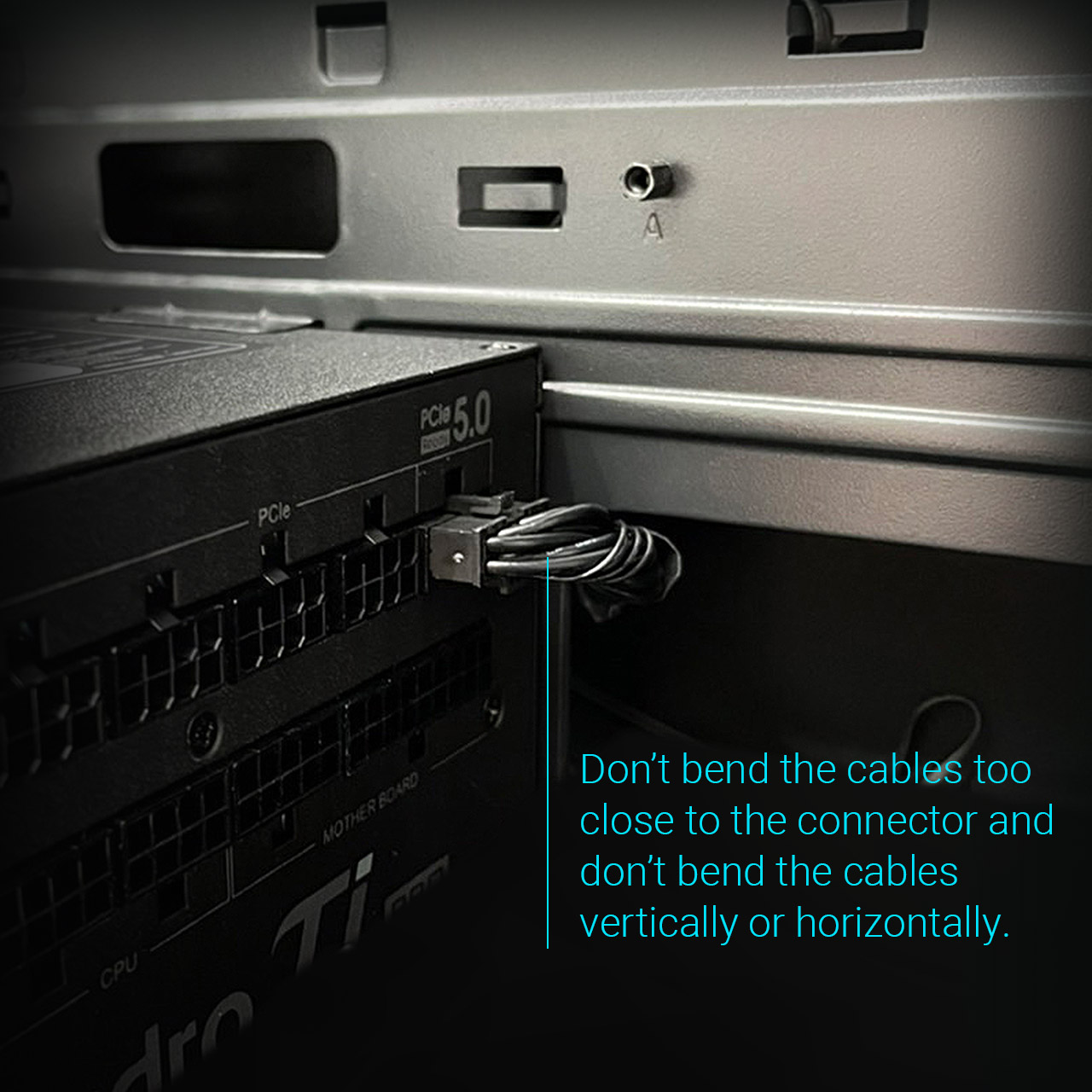
Do not recommend doing cable management on 12VHPWR cable as below
Recommended way to connect the 12VHPWR cable like this.
The size of RTX40 series graphic cards is larger than the previous generation. Please make sure the width of your pc case with enough space for PSU and RTX40 series graphic card.
Do not occupy the space of PSU cables(including the space to do cable management) to avoid any possibility of deformation of PSU slot.
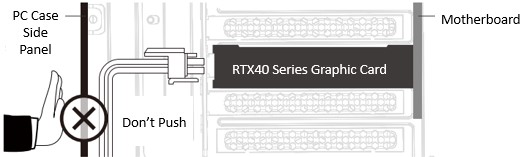
Simple to know the correct way to do cable management.
Have a good time while building a PC and playing a good game, power never ends.
Disclaimer
The FSP 12+4Pin (12VHPWR) cables arecompatible with FSP power supplies only.
| Series | Watt | ||||
| Hydro G PRO | 850W / 1000W | ||||
| Hydro PTM PRO | 850W / 1000W / 1200W | ||||
| Hydro PTM X PRO | 850W / 1000W | ||||